Shop now, pay later in 4 easy installments

Have you wondered whether you can use photo paper in a laser printer?
It’s a common question for creators, crafters, businesses, and magnet makers wanting vibrant, professional-looking prints.
The short answer is yes, but only if the photo paper is specifically designed for laser printers.
Understanding how laser printers work, and how they interact with photo paper, can help you avoid poor print quality, wasted materials, paper jams, and even damage to your printer.
What is a laser printer?
A laser printer works very differently from an inkjet printer.
Instead of spraying liquid ink onto paper, laser printers use:
- Toner powder
- Electrostatic charges
- Heat
- A heated component called a fuser unit
The toner powder is transferred onto the paper and then fused to the surface using high heat and pressure.
Laser printers are commonly used for:
- Office documents
- High-volume printing
- Sharp text printing
- Fast production environments
They’re popular because they’re efficient, quick, and cost-effective for document printing.
Inkjet vs laser printing
The biggest difference between the two comes down to how the image is created on the paper.
| Inkjet printer | Laser printer |
|---|---|
| Uses liquid ink | Uses toner powder |
| Ink absorbs into paper coating | Toner sits on top of paper |
| Excellent for photos and colour depth | Excellent for sharp text |
| Lower heat printing process | High heat printing process |
| Ideal for glossy photo paper | Limited compatibility with coated papers |
Because the printing methods are so different, paper compatibility matters a lot.
Can you use photo paper in a laser printer?
Yes, but only if the paper is specifically labelled as laser compatible.
Many photo papers used for photography, crafting, magnets and creative projects are designed for inkjet printers. These papers have specialised coatings that absorb liquid ink and help produce vibrant colours, sharp detail and smooth photo-quality prints.
Laser printers work very differently. They use toner and very high temperatures to permanently fuse the toner onto the paper. Inkjet photo paper isn't designed to withstand these temperatures, so the coating can react to the heat instead of performing as intended.
Potential issues include:
- Poor toner adhesion
- Grainy or dull print quality
- Curling or warping
- Brown marks or discolouration
- Roller marks
- Paper jams
- A burning smell or, in rare cases, smoke
- Residue build-up inside the printer
- Damage to internal printer components
For this reason, it's important to use photo paper that is specifically designed for laser printers.
Safety Tip: If you notice a burning smell, smoke, or excessive heat while printing, stop the print job immediately and switch the printer off. Do not continue printing until the printer has cooled and the cause of the issue has been identified. If the problem persists, discontinue use and have the printer inspected before using it again.
What type of photo paper works in laser printers?
If you want to print photos with a laser printer, look for paper specifically labelled:
- “Laser compatible”
- “Laser glossy paper”
- “For laser printers”
- “Colour laser photo paper”
These papers are manufactured with heat-resistant coatings designed for toner-based printing.
Laser-compatible photo paper is often:
- Less glossy than inkjet photo paper
- More heat resistant
- Designed to support toner adhesion rather than ink absorption.
Why inkjet printers are usually preferred for photo printing
For photo magnets, photography, creative projects, and vibrant image reproduction, inkjet printers are usually the preferred option.
Inkjet printers generally provide:
- Richer colour depth
- Smoother gradients
- Better photo detail
- Stronger glossy finishes
- More vibrant image reproduction
This is why many magnet makers, crafters, artists, and other creatives choose inkjet printing for photo-based products.
Limitations of laser printing for photos
While laser printers are excellent for many applications, they do have limitations when it comes to photo printing.
Less colour depth:
Laser prints can sometimes appear flatter compared to inkjet photo prints.
Reduced gloss finish:
Laser-compatible papers typically don’t achieve the same glossy vibrancy as inkjet photo papers.
Surface-level printing:
Because toner sits on top of the paper rather than absorbing into it, prints can look and feel different.
Less smooth gradients:
Subtle transitions in shadows and skin tones may not appear as refined.
Media restrictions:
Some laser printers have strict limits on paper thickness and coatings.
A note about Koala photo paper
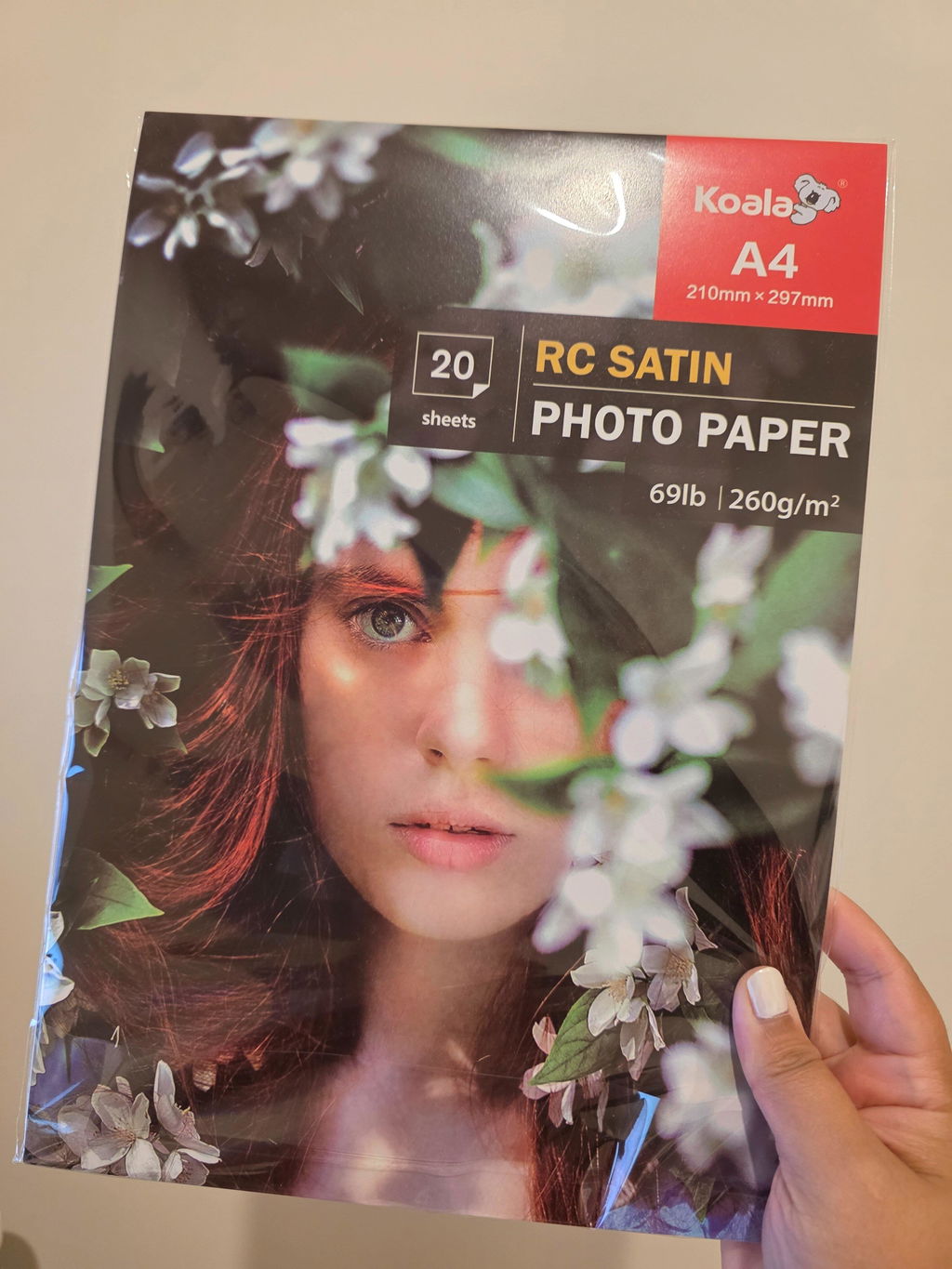
The Koala photo paper range stocked at Create Print Love is designed specifically for inkjet printers.
These papers are designed for inkjet printing and help achieve:
- Vibrant colour
- Sharp image quality
- Smooth gradients
- Glossy or satin finishes
The current range includes:
These papers are especially popular with photo magnet makers, creators, and businesses producing photo-based products and craft projects.
Because laser printers use toner and high heat rather than liquid ink, these papers are not intended for laser printer use unless explicitly stated otherwise.
Tips before printing on photo paper
Before using any photo paper, it’s always a good idea to:
Check your printer specifications:
Review your printer manual for supported media types and GSM ranges.
Confirm paper compatibility:
Never assume all glossy paper is suitable for all printer types.
Test first:
Run a single-sheet test before printing large quantities.
Select the correct media settings:
Choose the closest paper setting available, such as:
- Glossy
- Semi-Gloss
- Heavy paper
- Thick stock
- Photo paper
Avoid unsupported thicknesses:
Some printers may struggle with heavier coated media.
Final thoughts
Laser printers are fantastic for fast, high-volume document printing and crisp text output. However, photo printing is an area where printer type and paper compatibility make a significant difference.
The most important thing to remember is that not all photo paper is safe for laser printers.
If your focus is vibrant photo printing, magnets, crafting, or creative products, an inkjet printer paired with quality inkjet photo paper will usually provide better results.
If you're printing on photo paper with a laser printer, always ensure the paper is specifically designed for laser compatibility to help achieve the best results and protect your printer.